"Trust the AI"
Upload your video and wait. The AI picks what it thinks is good. You get a stack of clips you didn't choose — often missing the actual point.
- ✗AI decides what's interesting
- ✗You can't refine the cuts
- ✗Quality is a coin flip
Loading Very Big Clips…
Very Big Clips lets you drag across any words of your video transcript to instantly create shorts. Pick multiple sentences, stitch them together, pick a caption template, and publish in less than a minute. Done.
Try it yourself
This is the actual editor — drag across words to make a clip. Stitch multiple sections. Pick a caption style. Sign up free to render.
Best on a laptop or desktop. Tap above to watch a quick demo.
Loading playground…
Couldn't load the playground transcript.
Editing is fully live above. Rendering opens a free sign-up — no credit card.
Watch the demo
From raw video to published Short — watch how it works in under a minute.
Why we built it differently
Most AI clipping tools hand the wheel to a model and hope. We let you steer.
Upload your video and wait. The AI picks what it thinks is good. You get a stack of clips you didn't choose — often missing the actual point.
Read the transcript like a doc. Highlight the words you want — that's your clip. AI is there to help, not to drive. Precision, not guesswork.
Why Very Big Clips
Other tools make you gamble on AI picks. We give you the transcript and let you decide in seconds — no timeline scrubbing required.
Read the auto-generated transcript like a document. Drag across any words to select a clip range — no timeline, no scrubbing, no guessing. Click preview to watch it instantly, then create. Your Short is ready in under 30 seconds.
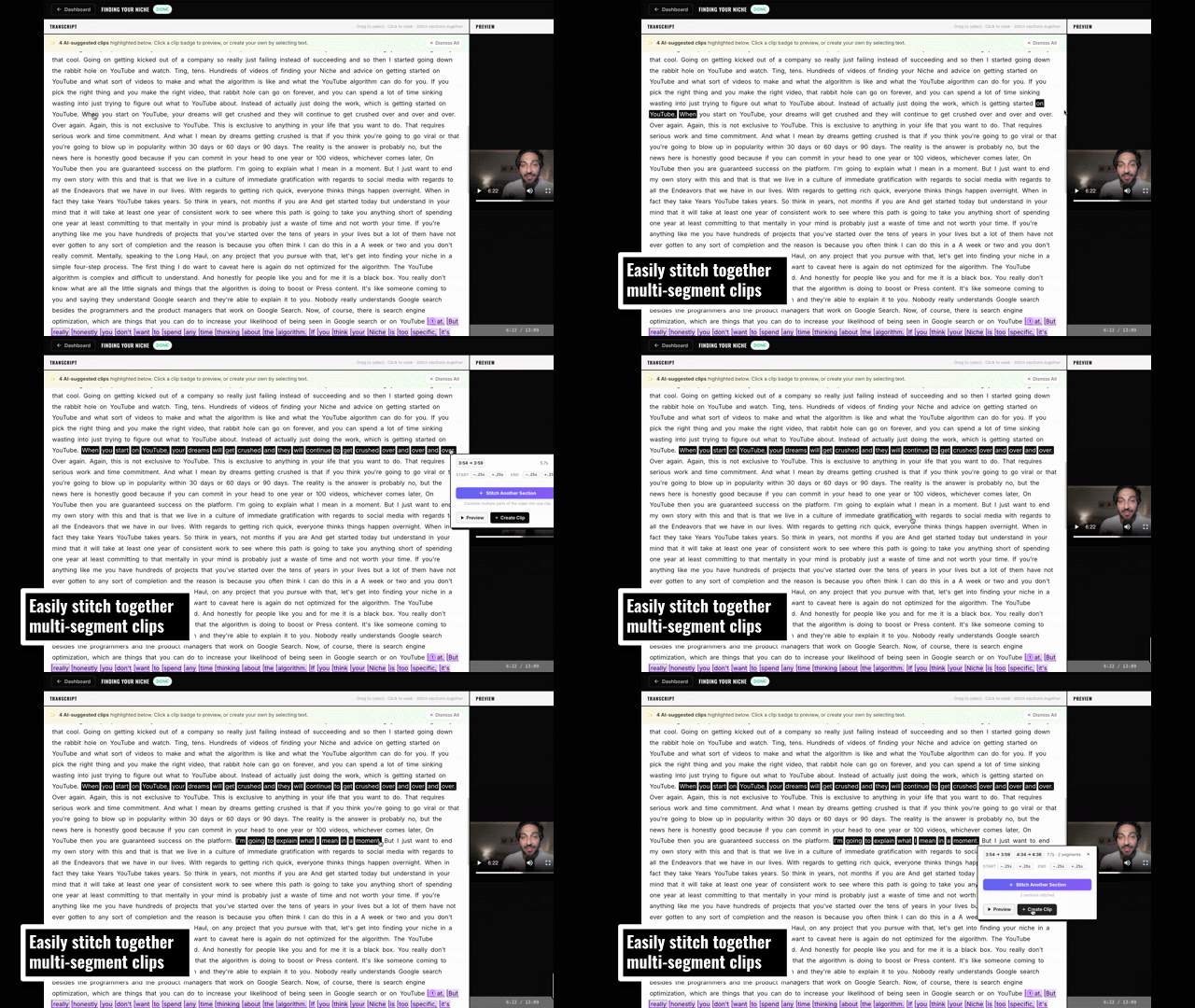
Pick non-consecutive passages and stitch them into one seamless Short. No editing software needed.
10+ viral caption styles rendered directly onto your Short. Bold text, neon glow, kinetic word-pop, and more.
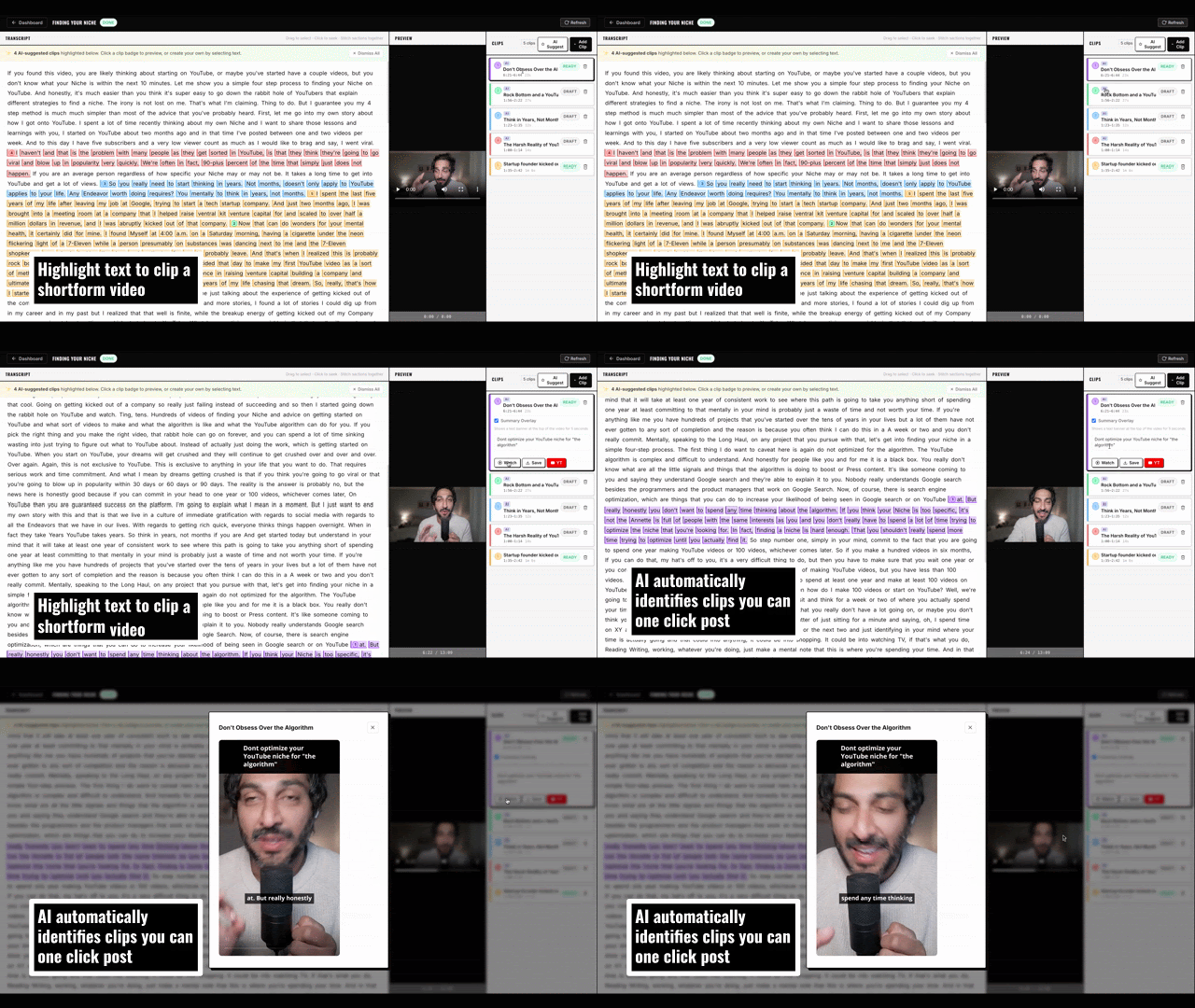
Not feeling it? Let AI scan the transcript and suggest the strongest clips as a starting point. You're always in control.
Import from Google Drive or upload an MP4/MOV straight from your computer. No middleman.
Schedule and publish directly to YouTube Shorts. One dashboard, no exports, no re-uploads.
Features in action
No timeline, no exports, no scrubbing — just text and clicks.
Drag across non-consecutive sentences and instantly stitch them together into one polished Short. Pick the strongest moments — even from totally different parts of the video — and the clip stitches itself.
Every video gets scanned for the strongest moments. Click any suggestion to preview it, then publish in one tap — or use it as a starting point and refine the cut yourself. AI helps; you stay in control.
How it works
Pick from Google Drive or upload directly. Any MP4 or MOV.
Your video becomes a fully readable, word-level transcript in minutes.
Highlight the words you want. Add segments. Preview instantly. No timeline editing.
Pick a caption style, render your 9:16 Short, and push to YouTube — done.
Built for your workflow
Five workflows we've built explicit guides for. Each one explains how Very Big Clips fits the way you already work — what to upload, what to clip, how to publish.
Turn every episode into a week of Shorts. Stitch the question and the answer.
→Turn long-form back-catalog into the Shorts engine the algorithm rewards.
→Pull free Shorts from paid lessons to fill the funnel that fills the cohort.
→Ship a quarter of social content from one client webinar. Across every brand.
→Build a personal brand at founder speed — from podcasts you already guested on.
→Pricing
Start free. Upgrade when you need more clips.
All plans include a free trial. No credit card required to get started.
Free to use. No credit card. Just sign in with your Google account.
By signing in you agree to our Terms of Service. We request Drive and YouTube access to enable video import & publishing.
Import from Google Drive or upload an MP4/MOV directly from your computer.
Loading your videos…
Loading editor…